5x Faster LinkedIn Outreach
Log outreach in one click, get follow-up reminders, and track your pipeline with real analytics — all without leaving LinkedIn.
See it in action
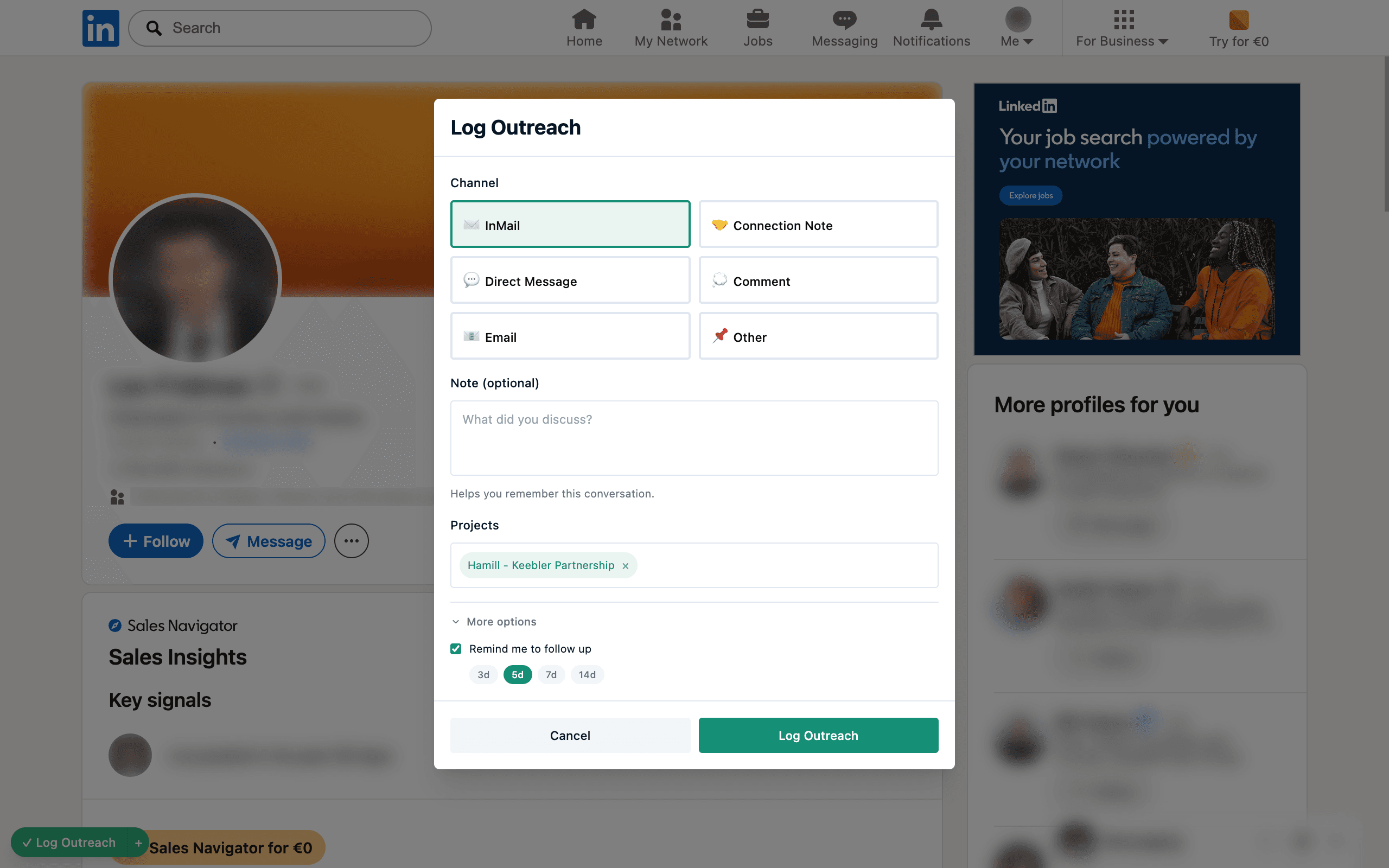
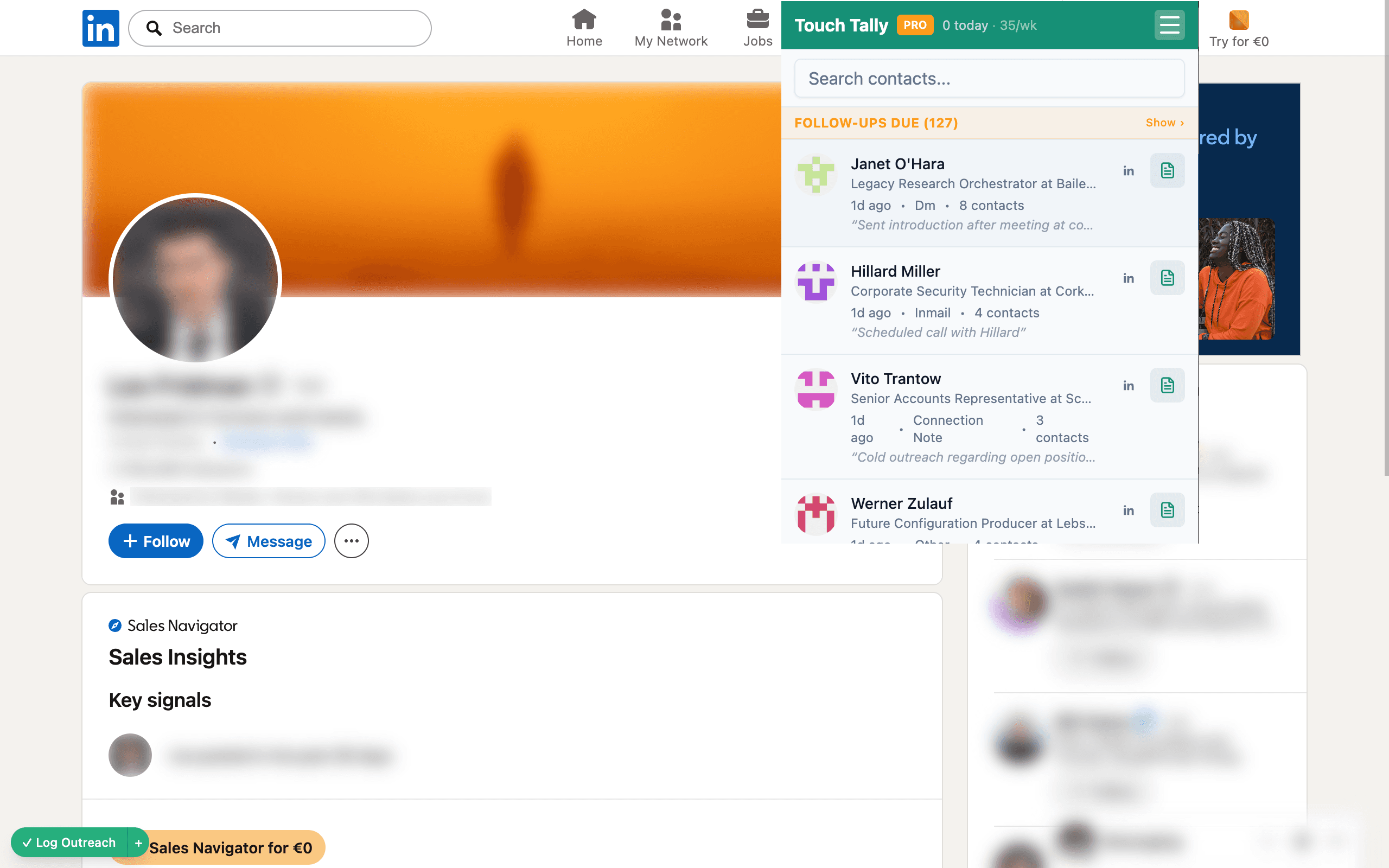
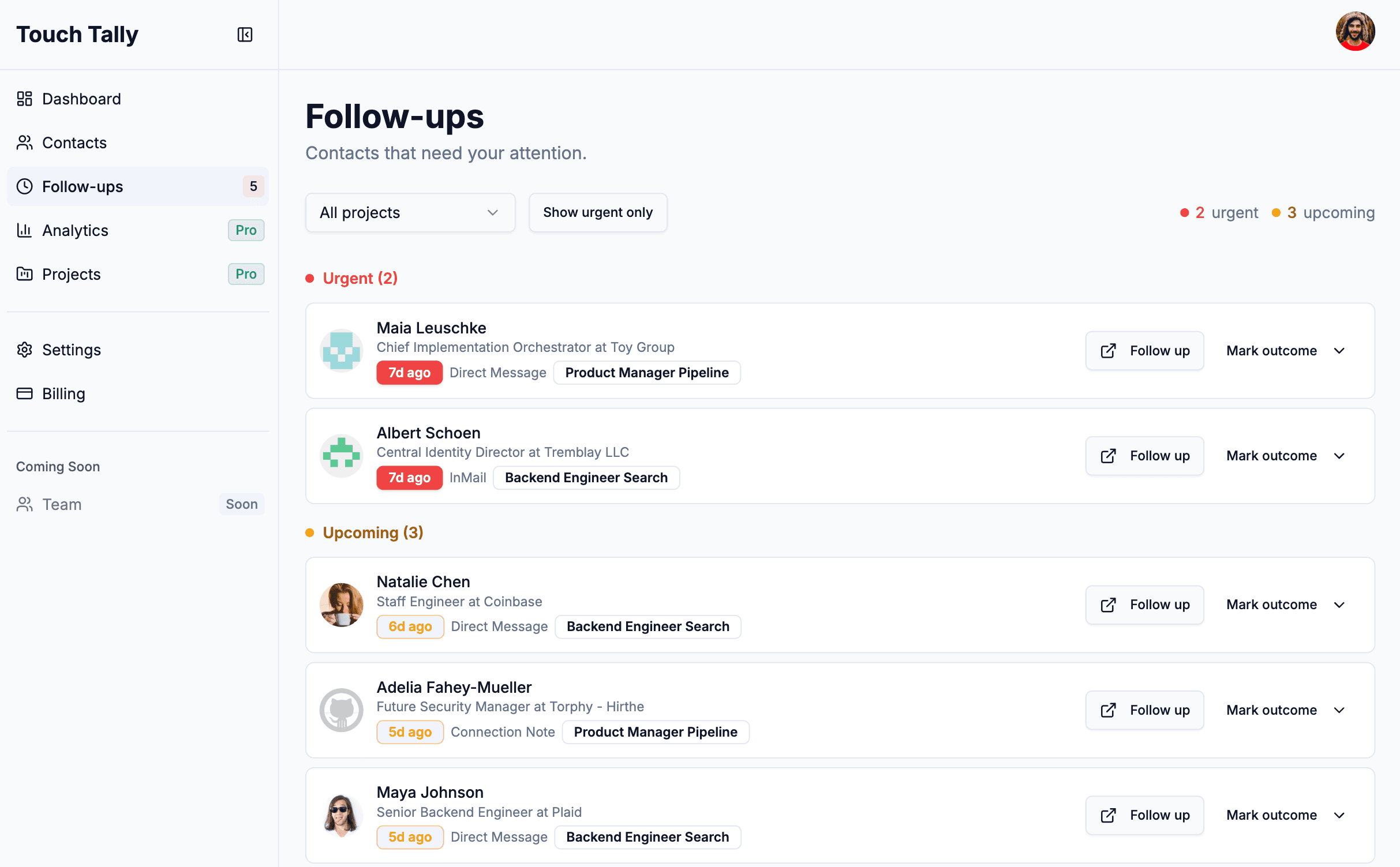
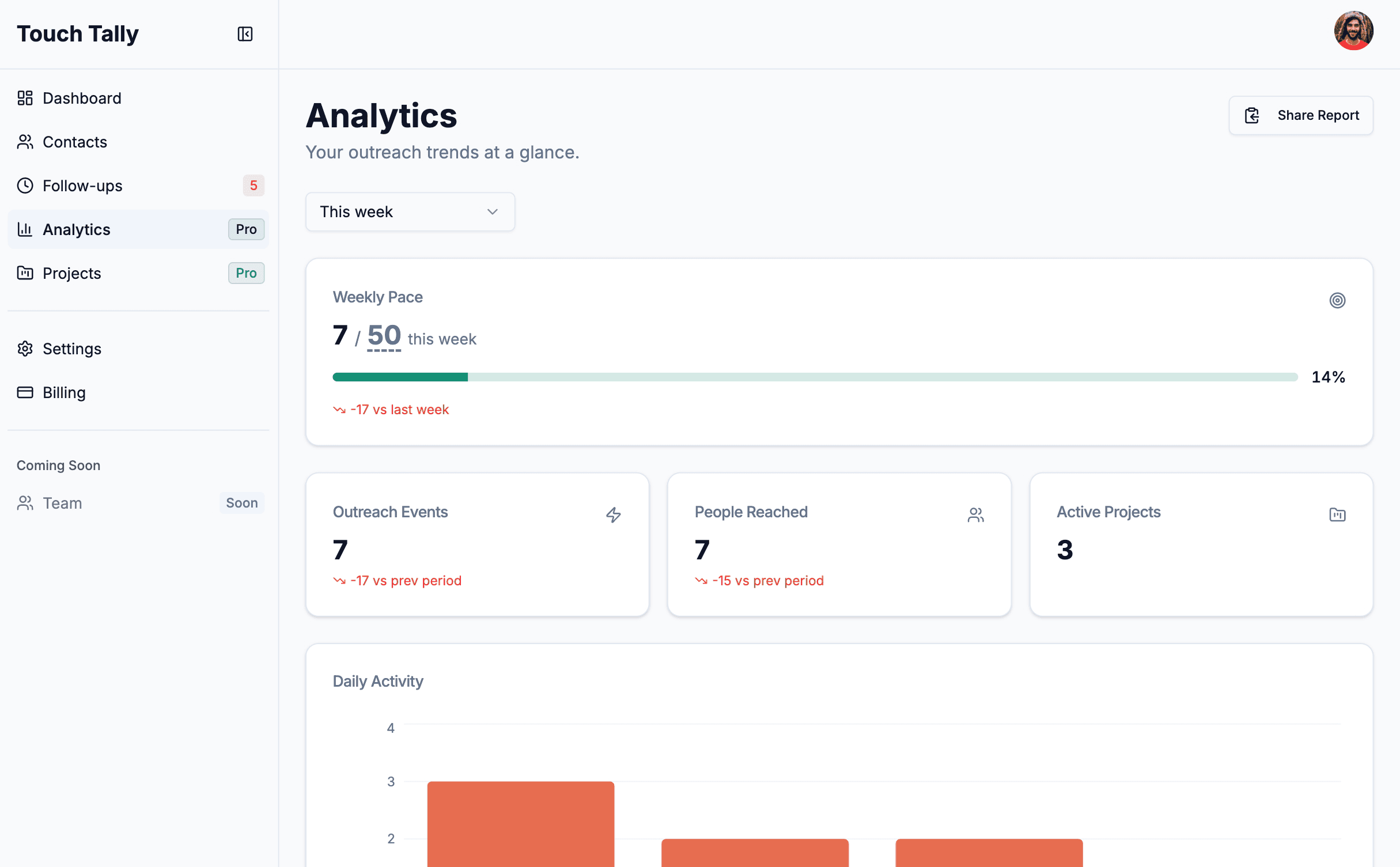
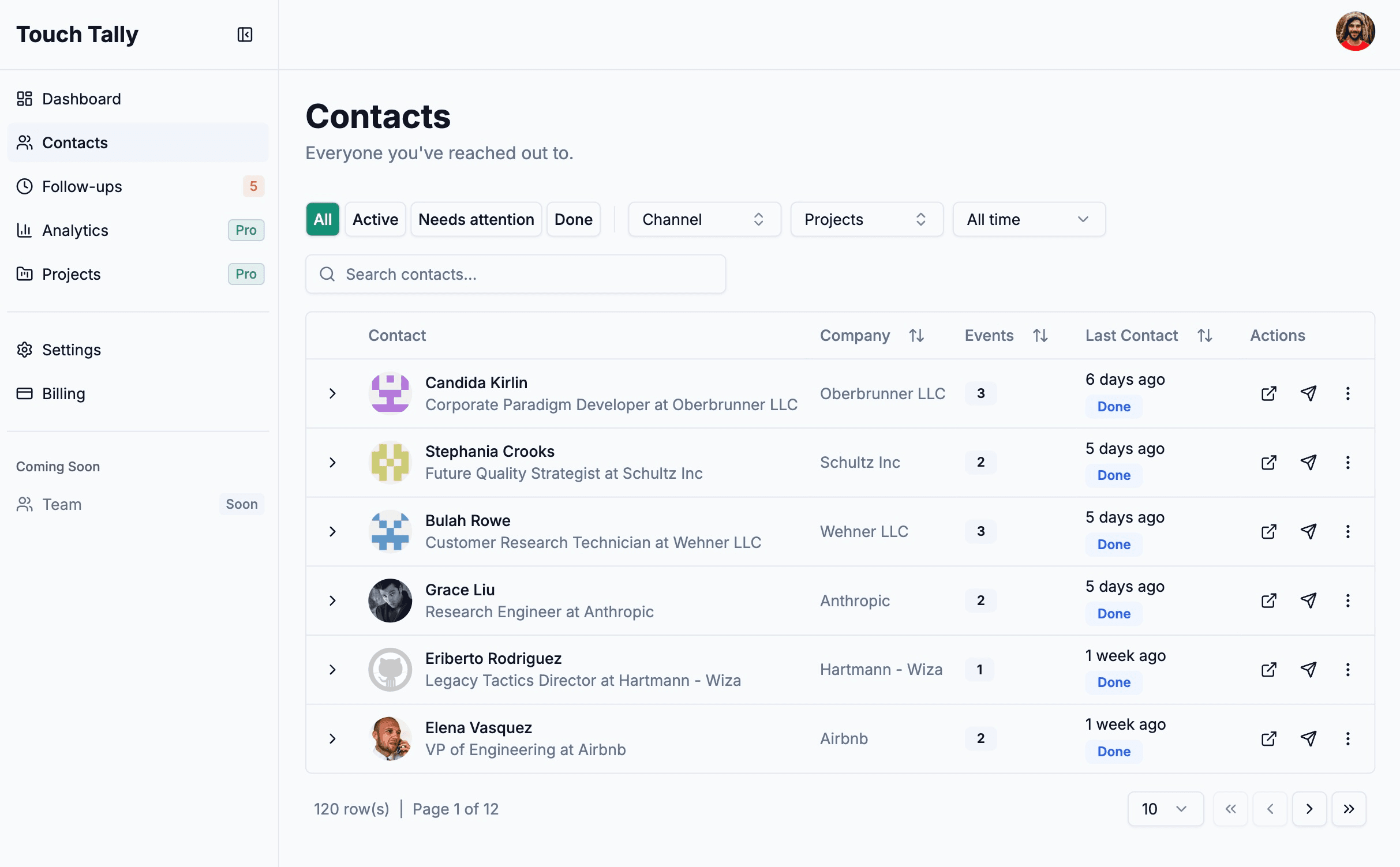
Log LinkedIn outreach with one click — right from any profile page
Built for high-volume outreach
Never lose your history
Synced account — access from any device
Ditch the spreadsheet
One click replaces manual tracking
Stop duplicate outreach
Badges warn you before you double-message
Remember every conversation
Rich notes attached to each contact
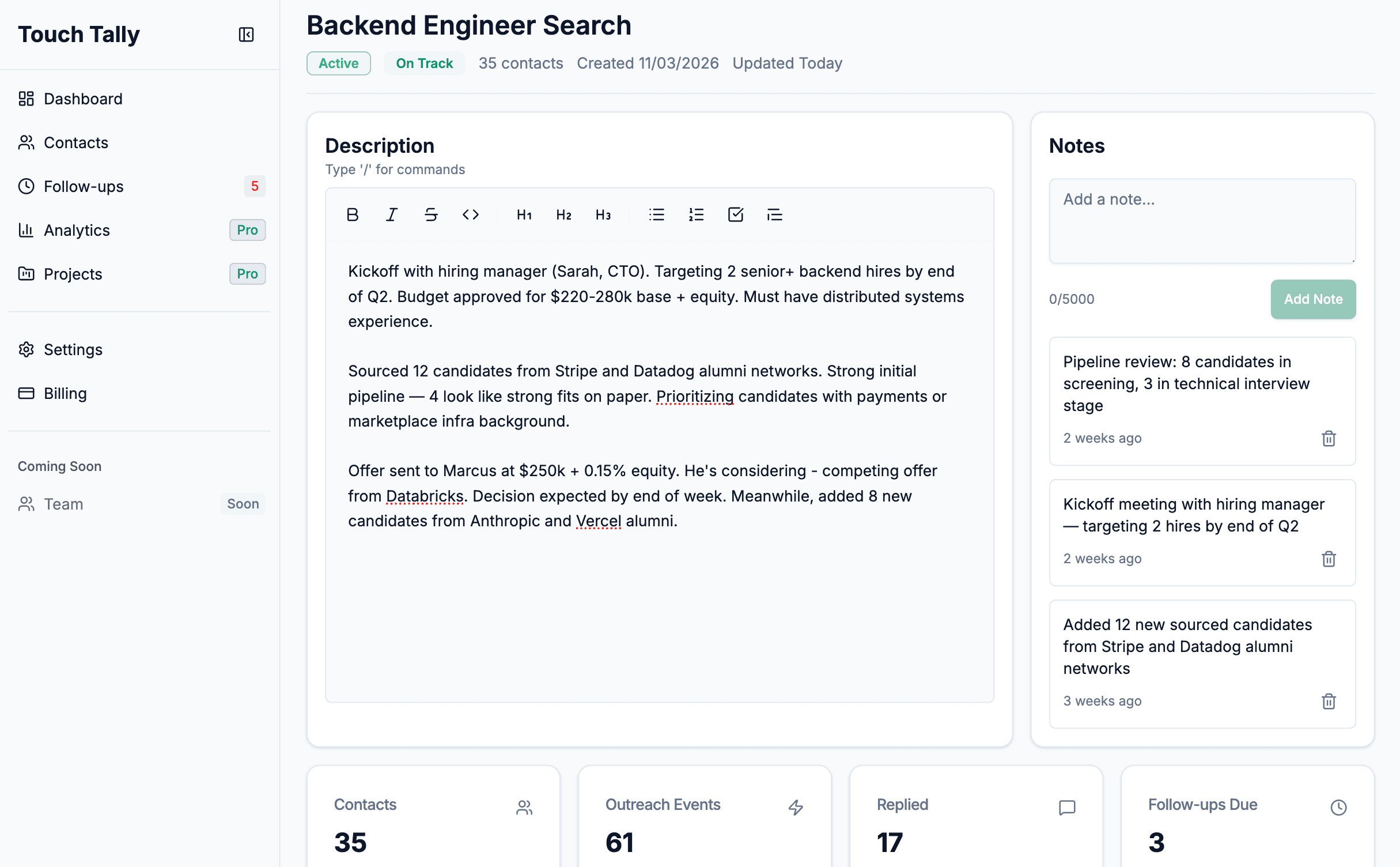
Organize into projects
Group contacts by role, campaign, or client — keep every pipeline structured
Follow-up reminders
Automatic reminders when it's time to re-engage a contact
Outreach analytics
Weekly pace, channel mix, activity trends, and project health
Never let a warm lead go cold
Touch Tally tracks when you last contacted someone and surfaces them when it's time to follow up. No calendar reminders. No sticky notes. Just a queue of people who need your attention.
- Configurable follow-up periods per contact
- Urgent vs. upcoming at a glance
- Dismiss with outcomes — replied, met, not interested
- Filter your queue by project
Know exactly where your outreach stands
Weekly pace tracking, daily activity breakdowns, 8-week trend lines, channel mix analysis, and project health scores — all updated in real time.
- Set a weekly outreach goal and track your pace
- See which channels drive the most replies
- Monitor project health at a glance
- Share a weekly outreach report with your team
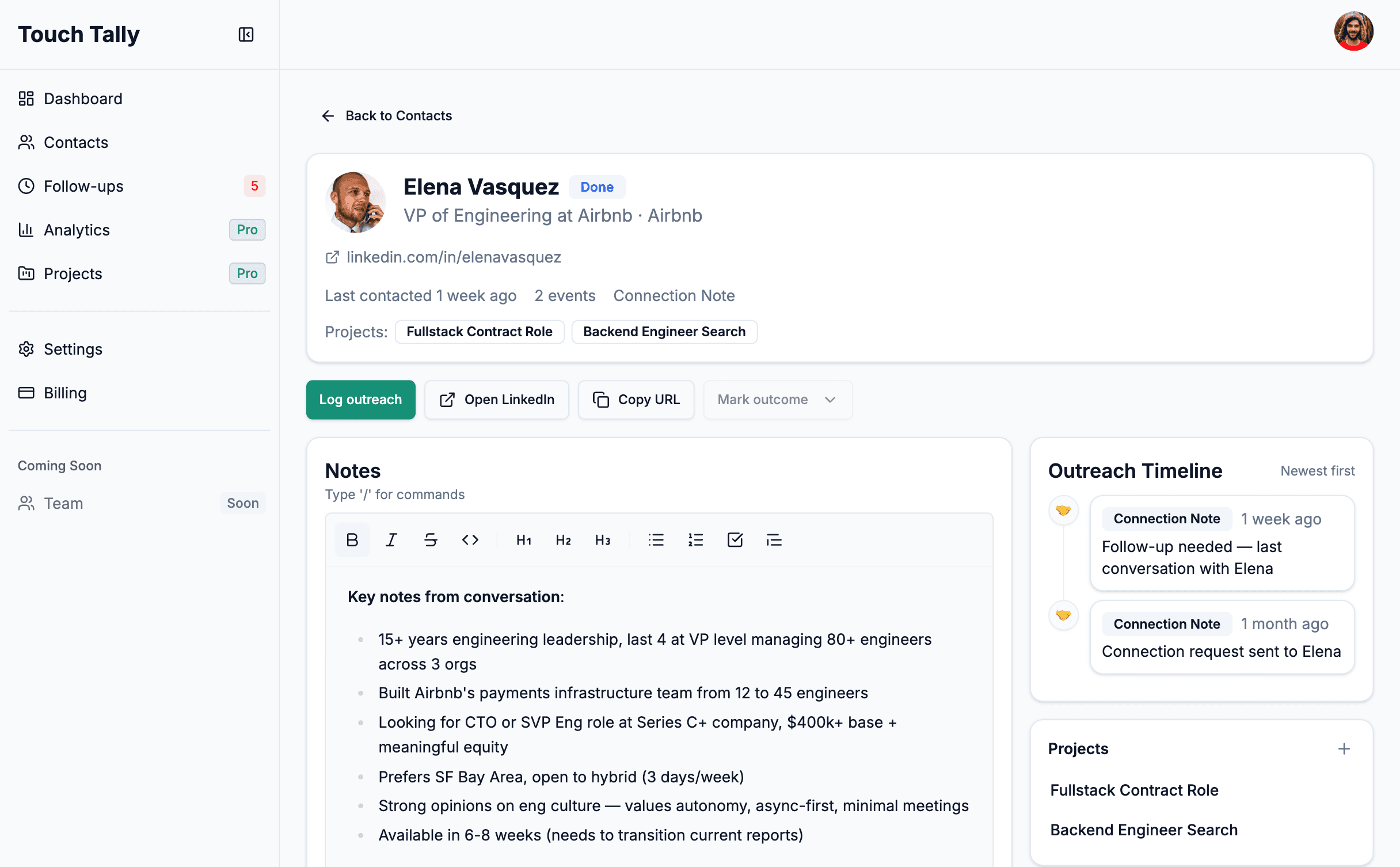
Full context before every touchpoint
See your complete history with any contact — notes, outreach timeline, and projects — so you never walk into a conversation blind.
- Rich text notes that stay with the contact forever
- Every outreach logged with channel, date, and context
- See which projects a contact belongs to
- One click to their LinkedIn profile
How It Works
Install the extension
Add to Chrome in 30 seconds. No configuration needed.
Log outreach from LinkedIn
Click the badge on any profile to log a touchpoint with channel and notes.
Get follow-up reminders
Touch Tally tells you when it's time to re-engage a contact.
Track your results
See trends, channel mix, and project health in your dashboard.
Why recruiters switch to Touch Tally
Setup time
Works inside LinkedIn
One-click logging
Duplicate warnings
Per-contact notes
Follow-up reminders
Outreach analytics
Price
| Spreadsheet | CRM | Touch Tally | |
|---|---|---|---|
| Setup time | 30+ min | Hours | 30 seconds |
| Works inside LinkedIn | No | No | Yes |
| One-click logging | No | No | Yes |
| Duplicate warnings | No | Depends | Yes |
| Per-contact notes | Manual | Yes | Yes |
| Follow-up reminders | No | Depends | Yes |
| Outreach analytics | No | Yes | Yes |
| Price | Free | $$$ | Free tier |
Built for every workflow
Agency Recruiters
Juggling 50+ roles at once. Need speed over everything.
In-House Recruiters
Deep pipelines for key roles. Need history & context for each candidate.
Sales Prospectors
High-volume outreach daily. Can't afford duplicate messages.
Founders & Freelancers
Wearing multiple hats. No time for spreadsheets.
Start tracking outreach in 30 seconds
Free forever for up to 25 contacts per month. No credit card required.